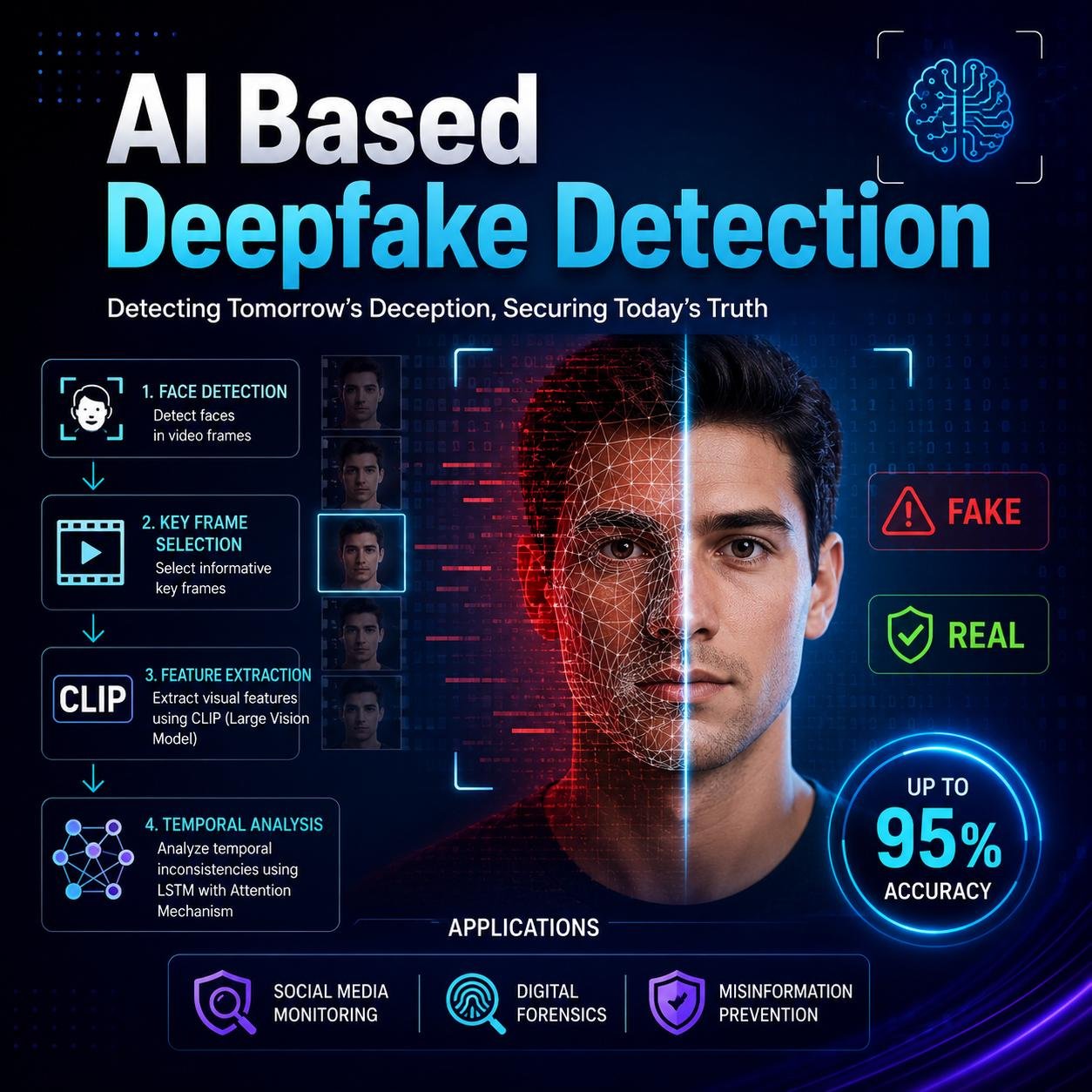
Artificial intelligence is changing the way people create and share videos online. Today, AI tools can generate realistic human faces, clone voices, reproduce facial expressions, and create scenes that never happened in real life. Although these technologies offer exciting opportunities for entertainment, education, and business, they also make it easier to spread misleading information. People can use fake videos for online scams, impersonation, fake news, and identity fraud. As AI-generated content becomes more sophisticated in 2026, learning how to identify manipulated videos is an important digital skill. The good news is that viewers can look for several warning signs, examine the source, and use verification tools before believing or sharing suspicious content.
What Are AI-Generated Fake Videos?
These videos are not always created for harmful purposes. Filmmakers, educators, advertisers, and content creators also use AI-generated visuals for legitimate projects. The problem arises when manipulated content is presented as genuine footage without proper disclosure, especially when it is used to deceive viewers.
7 Warning Signs of AI-Generated Fake Videos
1. Unnatural Facial Movements
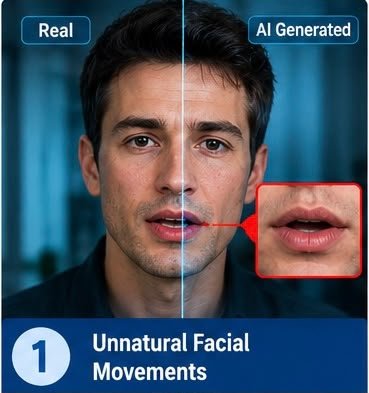
One possible warning sign is unusual facial movement. In some manipulated videos, a person’s mouth may not match their speech perfectly. Their facial expressions may also look stiff, inconsistent, or disconnected from the emotions in their voice.
For example, a person may smile while delivering a serious statement, or their lips may move differently from the sounds you hear. However, modern AI systems can produce convincing facial expressions, so the absence of these problems does not prove that a video is authentic.
2. Strange Blinking and Eye Movements
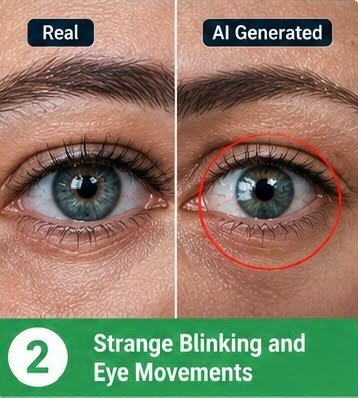
Eyes can sometimes reveal visual inconsistencies in manipulated footage. A person may blink unnaturally, hold an unusual stare, or show eye movements that don’t match the surrounding scene.
Reflections in the eyes may also look inconsistent with the lighting. However, these clues aren’t reliable on their own. Real people naturally blink at different rates, and poor lighting or low-quality recording can create similar effects.
3. Audio and Lip-Sync Problems
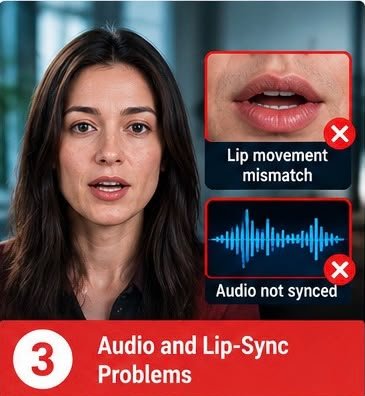
Another warning sign is a mismatch between spoken words and lip movements. The audio might sound slightly delayed, or the speaker’s mouth may not form the shapes expected for particular sounds.
Voice cloning can also imitate a real person’s voice. In suspicious recordings, listen for unusual pronunciation, inconsistent background noise, unnatural pauses, or sudden changes in audio quality.
If you receive an unexpected voice or video message requesting money, passwords, or confidential information, verify the request through a separate, trusted communication channel.
4. Unusual Lighting, Shadows, and Reflections
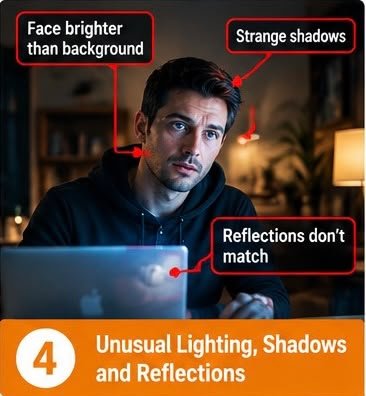
AI-generated footage may contain visual details that don’t match the scene’s lighting conditions. A person’s face might appear brighter than nearby objects, shadows may point in inconsistent directions, or reflections may not match the objects around them.
Pay attention to glasses, mirrors, windows, shiny surfaces, and moving objects. In some manipulated videos, these details may appear distorted or inconsistent between frames.
However, compression, editing, and professional lighting can also create unusual visual effects. Treat these observations as reasons to investigate rather than definitive proof of AI manipulation.
5. Distorted Backgrounds and Small Details
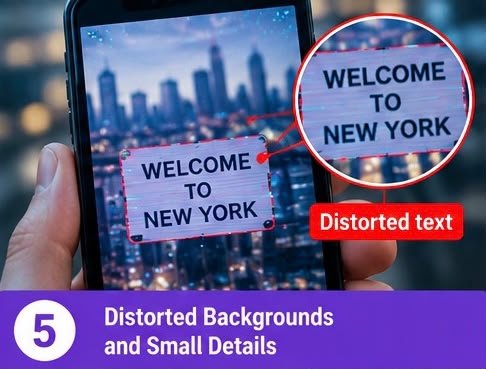
Background objects can sometimes reveal problems that are difficult to notice at first glance. Text on signs may appear scrambled, fingers may change shape, jewellery may shift unexpectedly, or objects may seem to disappear between frames.
Watch the video carefully, particularly around fast movements and transitions. If the footage contains important text, logos, or documents, check whether these details remain consistent throughout the clip.
AI video generators are improving rapidly, so these errors may be less common in newer systems. A video that looks visually perfect can still be fabricated.
6. Suspicious Sources and Missing Original Footage

The source of a video is often more important than its appearance. A dramatic clip shared by an anonymous account, an unfamiliar website, or a page with no supporting evidence deserves additional scrutiny.
Look for the original upload, the identity of the person who recorded it, and independent reporting from reliable sources. Check whether the same footage appeared earlier in a different context.
Be particularly cautious when a video claims that a public figure announced a major decision, a company launched an extraordinary product, or an emergency occurred without confirmation from credible sources.
7. No Reliable Verification or Supporting Evidence
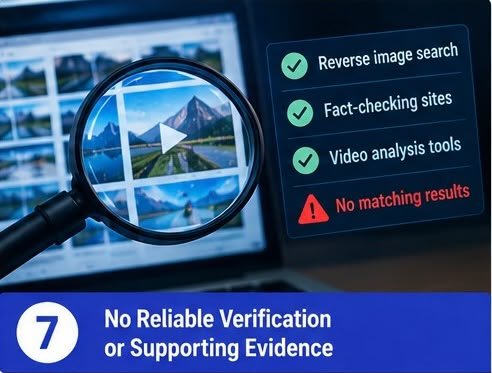
A convincing video should not automatically be treated as proof. When a clip makes an important claim, look for additional evidence that supports it.
You can use reverse image search on selected video frames to find earlier appearances of the footage. Tools such as Google Lens may help identify where a frame has appeared online. You can also check reputable fact-checking organisations and original statements from relevant authorities.
Some AI-detection tools analyse visual or audio patterns, but their results can be incorrect. A detector’s score should be considered one piece of evidence, not a final verdict.
Best Tools to Help Identify Fake Videos in 2026
Several free or accessible tools can help investigate suspicious videos:
- Google Lens: Search using a screenshot or selected frame to find similar images and possible earlier sources.
- Google Search: Look for the original event, official statements, and independent reporting.
- InVID-WeVerify: Provides video-verification features, including keyframe extraction and reverse-search assistance, where available.
- Trusted fact-checking websites: Check whether reputable organisations have investigated the claim.
- AI-detection tools: Use available detectors as supporting evidence, while remembering that their accuracy varies by video quality, format, and generation method.
Always check the current availability and limitations of a tool before relying on its results. No single tool can reliably identify every AI-generated video.
Why AI Fake Videos Are Becoming a Serious Problem
AI-generated fake videos can affect individuals, businesses, and society. Scammers may impersonate family members, company executives, or public figures to persuade people to transfer money or reveal confidential information. Fabricated footage can also damage reputations, influence public discussion, and spread misinformation during important events.
A particularly dangerous situation occurs when a fake video creates urgency. A message may claim that a relative is in danger or that a manager needs an immediate payment. The emotional pressure can discourage people from checking the facts.
Detailed analysis: The growing challenge of AI-generated video misinformation requires a combination of technical awareness, responsible online behaviour, and independent verification. Visual clues such as unusual facial movements, inconsistent reflections, distorted background objects, and audio synchronisation problems can help viewers recognise suspicious content, but these signs are becoming less dependable as generative models improve. The most effective approach is to examine the entire context: identify the source, compare the claim with reliable independent reporting, inspect earlier versions of the footage, and verify urgent requests through a separate communication channel. Organisations can strengthen their defences by establishing approval procedures for financial transactions, training employees to recognise impersonation attempts, and requiring additional verification for sensitive requests.
How to Protect Yourself from AI Video Scams
Follow these practical steps when you encounter suspicious footage:
- Do not believe a video simply because the face and voice look realistic.
- Verify unexpected requests for money or private information using a trusted phone number or communication channel.
- Search for the source and compare reports from independent, reputable outlets.
- Avoid sharing unverified footage, particularly during emergencies or breaking news.
- Keep your accounts protected with strong, unique passwords and multifactor authentication.
- Report suspected scams to the relevant platform or appropriate authorities.
The Future of AI Video Detection
AI-generated video technology will continue to improve, making visual inspection alone less dependable. Future verification systems may combine digital content credentials, provenance records, cryptographic signatures, and automated analysis to help establish where footage originated and whether it has been modified.
Content credentials can provide useful information about a file’s creation and editing history when supported and preserved. However, not every authentic video contains these credentials, and their absence does not prove that a video is fake. Likewise, a credential does not automatically establish that every claim shown in the footage is truthful.
The strongest defence will come from combining technical tools with critical thinking, transparent publishing practices, and independent confirmation.
Frequently Asked Questions (FAQs)
1. How can I tell if a video is AI-generated?
Look for inconsistencies in facial movements, lip synchronisation, lighting, reflections, and background details. Then verify the source and compare the video’s claims with reliable evidence.
2. Can AI-generated videos look completely real?
Yes. Modern AI systems can create highly realistic videos that are difficult to distinguish from authentic footage. Visual inspection alone may not be enough.
3. Are free AI video detectors reliable?
They can provide useful clues, but their accuracy varies. False positives and false negatives are possible, so their results should be combined with independent verification.
4. Can a fake video imitate someone’s voice?
Yes. AI voice-cloning technology can imitate aspects of a person’s voice. Verify unusual requests independently, especially those involving money or sensitive information.
5. What should I do if I find an AI-generated fake video?
Avoid sharing it as genuine. Investigate its source, check reliable reporting, and report it to the platform if it appears to be part of a scam or harmful misinformation campaign.
Conclusion
AI-generated fake videos are becoming more realistic, but viewers can reduce the risk of being deceived by developing careful verification habits. Unusual facial movements, audio mismatches, inconsistent reflections, and suspicious sources can provide useful warning signs. However, none of these clues proves manipulation on its own.
The most reliable strategy is to verify the source, seek independent evidence, and confirm sensitive requests through trusted channels. As AI technology continues to evolve, digital awareness and responsible sharing will remain essential for protecting personal information and maintaining trust online.
AI-generated fake videos, detect deepfakes, AI video detection, fake video warning signs, deepfake scams, AI-generated content, identify fake videos, online video verification, AI voice cloning, video authenticity.
#ArtificialIntelligence #DeepfakeDetection #Cybersecurity #AITools #DigitalSafety #FakeVideos #Technology2026 #OnlineScams