Introduction
However, choosing the right software can be challenging, especially for beginners. Thousands of applications are available, and each one offers different features, pricing plans, security options, and system requirements. Some programs are free, while others require a monthly or annual subscription. Therefore, understanding how software works and how to choose the right tools can help users save time, money, and effort. This complete software guide explains the main types of software, essential features, security practices, and practical tips for selecting applications that match your needs.
What Is Software?
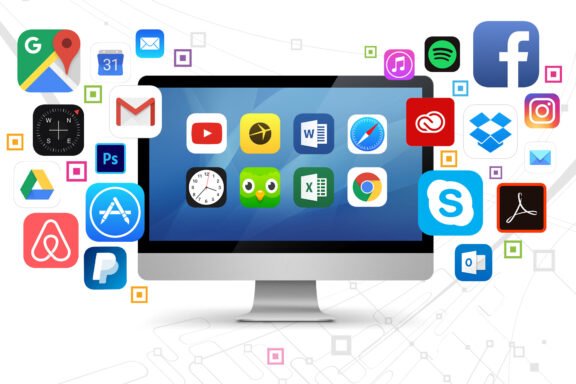
Software is a collection of programs, instructions, and data that tells a computer or digital device how to perform specific tasks. Unlike hardware, which includes physical components such as keyboards, processors, and screens, software consists of digital instructions that operate on those devices.
For example, a web browser allows users to access websites, a word processor helps create documents, and photo-editing software makes it possible to improve images. Operating systems such as Windows and macOS manage computer resources and allow applications to run properly.
Software can be designed for personal use, professional work, entertainment, education, communication, or business management. Understanding these categories is the first step toward choosing suitable applications for your computer or smartphone.
Types of Software You Should Know
There are several major software categories, and each serves a different purpose.
1. System Software
System software manages computer hardware and provides the foundation for other applications. Operating systems such as Microsoft Windows, macOS, Linux, Android, and iOS belong to this category. They control essential functions, manage files, support connected devices, and allow users to interact with their technology.
Keeping system software updated is important because updates may improve performance, fix bugs, and address security vulnerabilities.
2. Productivity Software
Productivity software helps users complete everyday tasks efficiently. Examples include word processors, spreadsheets, presentation tools, calendar applications, and note-taking programs.
Students can use these applications to prepare assignments, while office workers can create reports, analyze data, and manage schedules. Small businesses may also use productivity software to organize documents, track expenses, and collaborate with employees.
Popular options include Microsoft 365, Google Workspace, and LibreOffice. The right choice depends on your budget, preferred features, and compatibility requirements.
3. Security Software
Security software helps protect devices, files, and personal information from digital threats. Antivirus applications, firewall tools, password managers, and endpoint security platforms are common examples.
Windows Security provides built-in protection on supported Windows systems. Users should keep security features enabled, install updates promptly, and download applications from trustworthy sources. Security software is valuable, but it cannot replace careful browsing habits or reliable account protection.
4. Creative and Multimedia Software
Creative software allows users to edit photographs, produce videos, design graphics, create presentations, and develop digital content. These tools are useful for content creators, students, designers, marketers, and business owners.
Depending on your needs, you might choose a simple image editor for basic adjustments or a professional video-editing application for advanced projects. Before selecting a program, check its supported file formats, hardware requirements, export options, and licensing terms.
5. Business and Communication Software
Businesses use specialized software to manage customers, projects, finances, appointments, and team communication. Customer relationship management systems, accounting applications, project management platforms, and video conferencing tools are common examples.
For American small businesses, these applications can help organize daily operations and support remote teams. However, businesses should compare subscription costs, integration, customer support, and data protection policies before committing to a platform.
How to Choose the Right Software
Choosing software should begin with identifying the problem you want to solve. Rather than installing multiple applications with overlapping features, determine which tasks are most important and select a tool that addresses them effectively.
First, consider compatibility. Make sure the software supports your operating system, device specifications, and required file formats. Some applications run only on Windows or macOS, while others work through a web browser.
Second, evaluate the cost. Free software can be sufficient for basic tasks, but some free plans restrict storage, exports, collaboration, or advanced features. Paid subscriptions may offer additional functionality, so compare the complete cost rather than relying on the advertised starting price.
Third, examine ease of use. Beginners may benefit from a simple interface, helpful tutorials, and responsive customer support. Finally, review independent user feedback and test a free version or trial when available. This approach helps you make a more informed decision before investing money or transferring important data.
Free Software vs. Paid Software
Free and paid software both offer advantages. Free applications can help students, home users, and small businesses complete everyday tasks without increasing their budgets. Open-source programs may also provide transparency and customization options, depending on the project.
Paid software often includes additional features, professional support, centralized management, or advanced collaboration tools. Nevertheless, a higher price does not automatically mean better performance for every user.
Before choosing a paid product, review its renewal terms, cancellation policy, licensing restrictions, and available support. For free applications, check whether the developer displays advertisements, collects personal information, or limits important features. Select software according to your actual needs rather than paying for tools you rarely use.
Essential Software Security Tips
Software security is an important consideration for anyone using connected devices. Outdated applications may contain vulnerabilities that attackers can exploit. Similarly, programs downloaded from unofficial websites can include unwanted software or malicious code.
To reduce these risks, download applications from official developer websites or trusted app stores. Enable automatic updates when practical and remove programs you no longer need. Review application permissions carefully, especially when software requests access to your camera, microphone, contacts, or files.
Use strong, unique passwords for important accounts and enable multi factor authentication whenever available. Back up important documents regularly so that you can recover your information after accidental deletion, hardware failure, or a security incident.
Additionally, avoid opening suspicious email attachments or installing software advertised through unexpected pop-ups. These simple precautions can improve your digital safety without requiring advanced technical knowledge.
How to Improve Software Performance
If an application runs slowly, crashes frequently, or takes too long to open, several practical steps may help. Start by restarting the device and installing available updates. Close unnecessary programs that consume memory and processing power.
Next, check whether your computer has enough available storage. A nearly full drive can interfere with normal system operations. Removing unnecessary files and uninstalling unused applications may free up space.
You should also review the software’s system requirements. Older computers may struggle with demanding applications, especially when several programs run simultaneously. If problems continue, consult the official troubleshooting documentation or contact the developer’s support team.
Avoid installing unknown performance boosters or registry-cleaning utilities that promise unrealistic improvements. Untrustworthy tools can introduce security risks instead of solving the original problem.
The Future of Software in 2026
Software continues to evolve as artificial intelligence, cloud computing, automation, and collaborative platforms become more widely adopted. AI-powered applications can assist with writing, research, document organization, customer support, and other repetitive tasks. However, their output should be reviewed for accuracy, privacy concerns, and potential errors.
Cloud-based software allows users to access files and applications across supported devices without relying entirely on a single computer. This flexibility is useful for remote workers and distributed businesses, although internet access, subscription costs, and account security remain important considerations.
Automation is also helping organizations reduce repetitive work and improve consistency. At the same time, software developers are placing greater emphasis on accessibility, security, and user experience. Users who understand these developments can make better decisions about which tools are worth adopting.
Conclusion
Software plays a central role in modern digital life, helping people communicate, create content, manage businesses, and complete everyday tasks. Understanding the different types of software makes it easier to identify suitable tools and avoid unnecessary expenses.
Before installing an application, compare its features, compatibility, price, security practices, and ease of use. Keep your programs updated, download them from trusted sources, and back up important files regularly. These habits can help you enjoy a safer and more productive digital experience.
Whether you are a beginner, student, professional, or business owner in the United States, choosing the right software can make your daily work more organized and efficient. Follow TechLogic.online for more software guides, technology tutorials, app recommendations, and practical digital tips.
Make smarter technology decisions with TechLogic.online.
SEO details
Focus keyword: Software Guide 2026
Secondary keywords:
- Best software for beginners
- Software tips and tricks
- Computer software guide
- Free vs paid software
- Productivity software tools
- Software security tips
- Best business software
- Windows software guide
- Software installation guide
- Latest software trends 2026
10 professional tags:
Software Guide 2026, Computer Software, Software Tips, Productivity Tools, Windows Software, Business Software, Free Software, Software Security, Technology Guides, TechLogic